Building a Smart Gas Detector
Over the past few months, I undertook an ambitious IoT project: building a gas detection device from the ground up using an ESP32-C3 microcontroller, a BME688 environmental sensor, and a circular GC9A01 display. This has been thus far the most challenging IoT project I have ever tackled. What started as a hardware integration challenge quickly evolved into a complex firmware development effort involving advanced sensor libraries, machine learning algorithms, and real-time data processing.
The journey wouldn't have been possible without my beloved Agentic AI; GitHub Copilot, which served as a collaborative programming partner throughout the entire development process, helping me debug tricky RISC-V architecture issues, understand complex Bosch BSEC2 library documentation, and optimize performance-critical code paths.
This build is a practical example of combining embedded hardware, clean firmware design, and GitHub Copilot-assisted development to ship a reliable environmental monitor.
The Bill of Materials
The physical device consists of three main components:
-ESP32-C3 SuperMini: A compact RISC-V microcontroller with built-in USB support
-BME688 Gas Sensor: Bosch's flagship environmental sensor that measures temperature, humidity, pressure, and gas resistance
-GC9A01A Display: A 240×240 pixel circular TFT screen perfect for dashboard-style UIs
I chose the ESP32-C3 because it is affordable, compact, and well suited for small embedded projects. It also has built-in Wi-Fi and enough pins for a design like this. In practice, though, I used nearly all of the available pins, which showed me that I was close to the board’s practical limits.
For the wiring diagram and firmware, see my GitHub repository here
I used small breadboards and jumper wires initially for prototyping
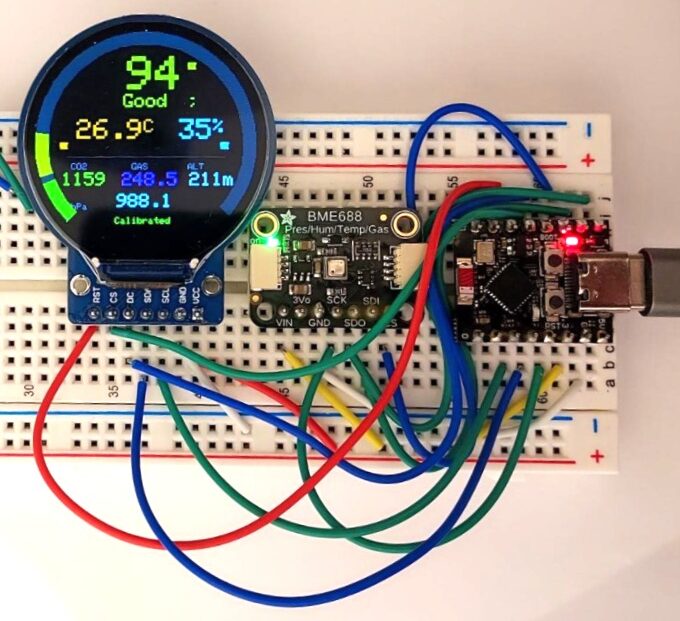
then soldered the final connections for reliability
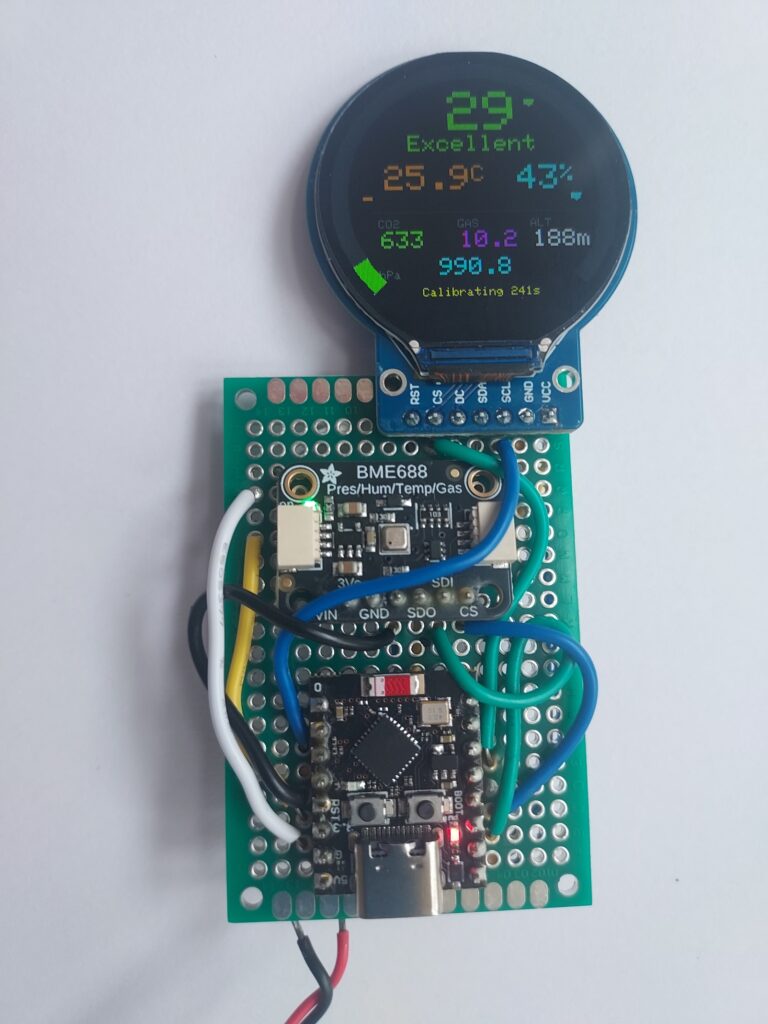

The entire system draws approximately 500mA peak current (mostly during display updates and sensor heating cycles). I recommend using a quality USB power adapter or a 5V USB-C power bank rated for at least 2A.
How GitHub Copilot Helped
Copilot was most valuable when helping me write the microcontroller code and integrate the collected data with Google Firebase. I’m not proficient in C++, so I relied heavily on GitHub Copilot to generate and refine the firmware. However, I still had to validate the code through multiple rounds of testing on real hardware. What important to note is Copilot did not replace testing. I still validated behavior on real hardware after every major change.
Final Result
The finished device provides continuous, real-time environmental monitoring on both the serial output and the round display. It also sends data to Google Firebase through an API. In addition, I built a simple phone app to monitor the data remotely. I may explain the app in a future post.
What stands out most to me is that today’s agentic AI doesn’t just help you learn, it helps you build. When paired with real hardware, it becomes possible to create practical tools at home that would have felt out of reach just a few years ago.